Android Accessibility Suite
-
4.8
- Grátis Preço
- Ferramentas Categoria
- Google LLC Desenvolvedor
-
NomeAndroid Accessibility Suite
-
PreçoGrátis
-
CategoriaFerramentas
-
Classificação4.8
-
DesenvolvedorGoogle LLC
Android Accessibility Suite is a collection of accessibility apps that help you use your Android device eyes-free or with a switch device.
Android Accessibility Suite includes:
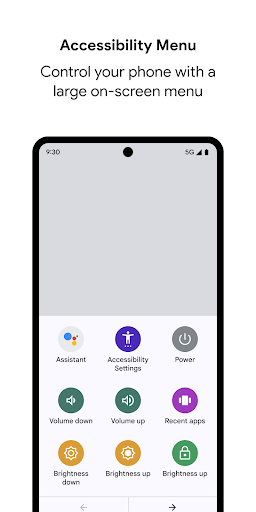
• Accessibility Menu: Use this large on-screen menu to lock your phone, control volume and brightness, take screenshots, and more.
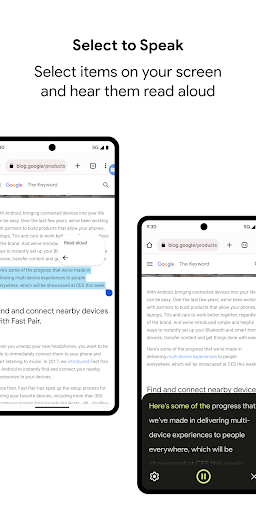
• Select to Speak: Select something on your screen or point your camera at an image to hear text spoken.
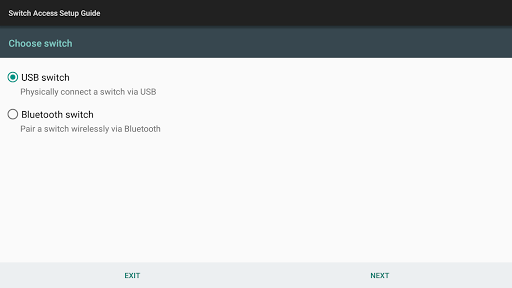
• Switch Access: Interact with your Android device using one or more switches or a keyboard instead of the touch screen.
• TalkBack screen reader: Get spoken, audible, and vibration feedback as you use your device.
NEW IN ANDROID ACCESSIBILITY SUITE 8.1
Important: This update to Android Accessibility Suite requires Android 6 or later. Learn how to check your Android version: https://support.google.com/android/answer/7680439
Version 8.1 updates:
• Improved TalkBack usage hints for local context menu.
• Improved Select to Speak design for devices with narrow screens.
• Improved Select to Speak support for Dark theme on devices running Android 10.
• Removed TalkBack settings for "Explore by touch," "Automatically scroll lists," "Shake to start continuous reading," "Enhanced focus," "Dim screen," and "Tap on side of device" gestures.
• Other fixes and improvements.
Learn more about using Android Accessibility Suite and other Android accessibility options: http://g.co/help/androidaccessibility.
To get started:
1. Open your device's Settings app.
2. Select Accessibility.
3. Select Accessibility Menu, Select to Speak, Switch Access, or TalkBack.
Permissions Notice
• Phone: Android Accessibility Suite observes the phone state so it can adapt announcements to your call status.
• Accessibility Service: Because this app is an accessibility service, it can observe your actions, retrieve window content, and observe text that you type.